The End of an Era
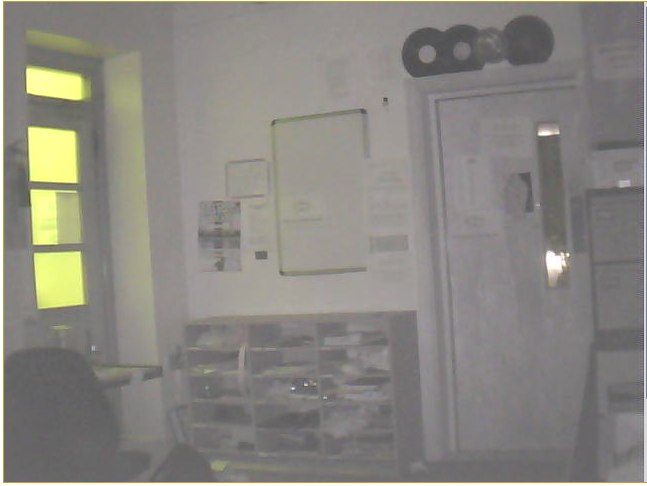
So, as of this moment of writing I am sat playing the Halo Reach Beta, got the LSRfm.com Office Remote Control Camera on the go (it has night vision tooooo) and Portal for Mac downloading on Steam for Mac....

Oh and I am a total of 3000 words away from the end of my degree, have today presented my project of 360gaming [dot] net post the basic video phase....
So the end is nigh for my university career...
What next?
Freelance Web Development,
Proper Job Web Development,
Freelance Events Teching,
Lighting and AV
Who knows the future is bright, but defo not Orange....
Its Crunch Time
So this week is going to be one of the busiest weeks, I will have had in a long time.
Finishing touches to my Project 2 Project: http://360gaming.net/, deployed that last Monday, just need to finish testing the game tracker/ranking system and thats all done.
Thats due on Wednesday! Crikey.
It's also Leeds University Unions@LeedsUniUnion, Celebrate Week, where LUU celebrates its member led Societies, culminating in The Riley's, an awards ceremony!
LSRfm.com (@LSRfm_com) is up for 3 awards:
- Best Publicity
- Best Event, for Big Tidy Up, (live coverage from Rich Legates House)
- Best Society
So, its always good to be nominated, since the nominations are Crowd Sourced from LUU Members.
I'm also a second time nominee for LUU Lifetime Achievement award, (nominated three years ago when they thought I was leaving).
I'm also working a hell of a lot this week.
- Metropolis on Thursday
- Fruity (Hollywood) on Friday
- Live at Leeds on Saturday all day!
- Damnation on Sunday all day!
Which then takes us to Monday 3rd of May, which is May Day Bank Holiday. Which means the union is closed, so LSRfm.com is broadcasting from my House for the day.
It's the day of Halo Reach's Beta toooooo! Hurrah!
Should be good fun, hopefully it will be Sunny too!
That then takes us to next week, with a double deadline for motion graphics and New Media Strategies and Futures on the 6th of May.
Then thats it the end of my degree.... Shit....
Oh and today I find out if I am doing GSoC 2010 (Google Summer of Code)
And tomorrow is The LSRfm.com Station Manager Job Presentations and Interviews, which I have applied for.
And tomorrow and Wednesday is PLASA Leeds, an Events Trade Show and mini conference, which should be good to make some industry contacts and see whats going on, in the World of Live events....
Its gonna be messy!
#GSoC 2010 – My Applications

So for Google Summer of Code 2010 I'm applying for two Organizations, GeekLog and WordPress.
Both are PHP based, and are primarily MySQL.
Both meet my skill sets and use Object Orientated Programming, so hopefully anything I learn/develop I can fold back into CarlyonCMS. Win
![]()
GeekLog, I have applied to work on the Email Queue needs and Core Notifications, sending subscription emails and the like to end users. Email Queue I have knowledge of since LSRfm.com can only send 600 emails per hour... (Its a Spam Thing). So the LSRfm.com Megalist, sends upto 400 emails per hour. Subsequently this queue system is part of Carlyon CMS.

WordPress I am applying for two separate projects.
Taken from the ideas page, I've selected Trac Annihilation (still can't spell Annihilation, thank God for spell checkers), and the Bugtracker.
Bugtracking I have experience on, having seen and worked on the Bugtracker for PHP for GSoC 2008, (woo go me I have bcarlyon [at] php.net as a email address (Update: Hmm it doesn't appear to work anymore :sadface: (Update 2 I think they purged it when PHP moved to SVN over CVS))), which was good fun and a learning experience.
(As part of the WordPress application you need to document your application on a WordPress powered blog....)
WordPress, as a publishing platform, should lend itself easily to being adapted to become a BugTracker, since the main elements, like categories, posting and comments, already exist, simply moving a b(lo)ug post, from one category to another would make it open/closed/assigned etc.
The interesting part here would be the interaction with SVN, and the need to extra data from Commits or source files.
My other WordPress application for Trac Annihilation (got it right that time), involves working on and closing as many open tickets as possible, since with the advent of WordPress'es beta the number of tickets is gonna rocket.
Essentially this is just a matter of munching thru as many tickets as possible and closing them, after solving them.
Which would be good fun and a great learning experience.
I just hope one of the three accepts me, or I could end up with a Summer of nothing big to do.....
jQuery Coverflow, my First Plugin
So I've been working on this for a while, based on a few googles searches (see this post for details.
Thru other posts on this subject I've chronicled my work, and youtubed a few videos, I've now deployed it and re factored it to a jQuery plugin. And fixed a bug so it works in IE as well as other browsers, was throwing a odd childelement error in IE8 of all things.
So, my jQuery Coverflow is live at the LSRfm.com Podcasts Page, I'll probably be fiddling with the code locally to tidy it and make it better, but it works quite happily as a jQuery plugin now.
Heres how to use it on your site, if you are so inclined, stay tuned for updates
.
The Plugin requires jQuery UI for the Slider, and jCarousel for the Flowy-ness, it relies on the jQuery stock animation suite as well.
In the head
<script src="/path_to_js/jquery.coverflow.js" type="text/javascript"></script>
In the Body
<ul id="coverflow">
<li><a href="/some_link/"><img src="/someimage.png" alt="A Title" /></a></li>
</ul>
<script type="text/javascript">
jQuery.coverflow();
</script>
Like with any jQuery Plugin you can pass it some options/settings.
- total_items - total items in the carousel/flow, if 0 auto determines
- sider_start - the start point, leave null for middle, or number for that number or rnd for random
- targetflow - id of the ul with the items in
- sliderflow - id of the div to hold the slider
- titleflow - id to hold the title elements
- largesize - size as a int, so 200 for 200px, of the image currently in the middle of the flow
- smallsize - smaller size
- speed - speed in microseconds so 3s is 3000
- scroll - leave this as one
- visible - how many items to be in the viewing pane at once default 3
- animation - animation speed, if 0 takes it from speed
Essentially all the needs to be set is the names for targetflow, sliderflow, and titleflow, tho if you use the default names (coverflow, slider, coverflow_title) you don't even need that.
Things I need to add to the plugin.
Auto generate the slider div if not present and add the relevant css to it.
Do a check to see if the item about to be highlight contains an image or not, and animate accordingly.
In theory this can support any type of content but an item of:
<li><a><img /></a></li>
works best.
You can grab a tar of the file at Coverflow_001 (54)
Questsions? Feedback? Suggestions?
Comments below
Update:
Currently there is a small bug where in some browsers (so far Chrome and Safari), post load and setup, its not sliding to the desired element, the slider is moved, but the carousel does not.
Coverflow with jQuery V1.5 (an Update)
So been working on my coverflow from: This post.
Been trying to make it a better replication, tho have some problems with reflections, so decided to skip that for a bit and work on scrolling, with steps greater than one.
I've had some hiccups with the animation again, so will have to consider ripping that out and redoing it.
The animation being the size alterations to the podcast cover images.
So heres the YouTube Demo of the Coverflow with the Slider working, and the traditional links updating the slider value.
Also when I get this to a working level, gonna need to redo the Version Numbers
When I get this working nicely, it will be rather useful, both for LSRfm.com and personal use, since it will rotate any content inside a li, tho if theres an img it will do the resizing.
Perhaps drawing inspiration from the game covers rotator on Game.co.uk as well, we shall see....
jQuery Coverflow
So I've been hunting round for a coverflow plugin for jQuery.
Google search turned up both Blarnee Demo (or Blarnee Blog Post) and Paul Bakaus, both of which are quite good but don't advise much on the use or implementation of.
Both of which are demos, using parts of jQuery and the jQuery UI, or elements of Canvas (which has been throwing odd errors in my firebug)
The second still being sat in the labs part of the UI svn, and not been touched for 6 months.
So further hunting found me, content flow, which looks quite good, but I couldn't get it to implement properly or do quite what I wanted too, without throwing lots of errors and not working.
So, I thought about it for a while and heres the first result.
Video done on Mac Quicktime Player, (screen recording), web deploying soon...
I've used the jCarousel Plugin, which I already use on LSRfm.com for the LSRfm.com Twitter Rotator.
And using its callback functions and elements of jQuery's animate library. I've created this iTunes/Apple Coverflow effect, still some work to do, and make it nice and configurable, so others can easily implement it, perhaps even make it and extension to jCarousel...
So a future blog post will describe the Javascript I used, and how to implement it.
Uploading LARGE files to Webservers
So, I have my server set up to accept large files, since I have built a nice new podcast submission system for LSRfm.com on the machine called LSR-LOCAL.
Now I decided that its all well and good trying to make it work/look nice, in terms of waiting for uploading for files and little feedback, we are dealing with the lesser tech orientated here.
So since I already have jQuery on the website, I started looking there.
The first one I found jcUpload looks rather good, and then I saw the multi file upload aspect of it and thought I can use that to do multi file transfers for LSRfm.com Production to bounce files around each other securely, rather than relying on email or rapidshare.
However that fails on files over 5Mb.
Went on a hunt around for general flash uploaders, since I read somewhere flash handles up to 100Mb or so nicely (I think it was on jcUpload's website), I found SWFupload, however I couldn't get it to configure properly.
During my initial search for jQuery plugins I found uploadify, which looked quite good, but got distracted by jcUpload. Uploadify essentially just kicks ass.
And now I have a nice little production file sharer, that will handle multi file uploads, and look good in the process. Since it has a nice progress bar, and handles queueing nicely without have to have a shed load of configuration or extra files like SWFupload.
I did look at AJAX-Upload but decided I'd stick with the flash solution, since the AJAX solution didn't have a upload progress bar.
Now that I've finished the nice uploader for production I can go back to the podcast uploader and add the flash uploader.
Of course with suitable javascript fail support.
Also need to figure out how to nicely remove a file element if the flash does the upload.... Probably a separate form but that will require a hefty recode of a lot of code that already works, but it will look and work nicer in the long run.
Long Time Since I blogged
Again, its been a while. Things have been pretty busy.
Currently I just fixed the LSRfm.com Podcasts, they were downloading a minute or two of audio the PHP was dying, FAST CGI php5 was being ghey.
So after a quick chat with Dreamhost over live chat, my script now rather than munch the file, just passes it off to a http location, less of a memory muncher too.
SRAchart is its usual self, tho we did get a full house of Charts last week, (well near enough), Ellie Goulding and Owl City are dominating, and Glee Started Charting too.
http://www.youtube.com/watch?v=TUZwdbeS2mM
(Yes I am a Glee Fan)
Handed in the Motion Graphics Brief.
So Uni Wise I just need to sit down and code code code, both for Project 2 (ala 360gaming.net enhancements), and start planning and researching what I need for project 2.
And start writing an essay for Futures and Strategies, fun times.
I've not had any spare time to play Halo, tho the Reach Beta has been announced! Hurrah!
Now I must get back to coding stuff for LSRfm.com fixed the Jukebox, now to do the music db, tho I do have a nice IRC bot sat in the new LSRfm.com Chatbox
Also <3 jQuery....
Mac Fun and Connecting to LSRfm.com!
So, I'm sat at home, having finished work last night, running Fruity Single handedly (the other tech broke his elbow before coming to work, and got sent to A&E bout 1am).
And then sleeping, (hmm sleep)
I find the need to connect to my FreeBSD VM, which is running on my Vista Laptop, which is in the LSRfm.com Office.
Its worth noting that the FreeBSD VM is running its networking as a NAT, so has its own IP address, so the Vista Laptop as a machine has two IP's.
Standard SSH Tunnelling for the win!
ssh -p <open external port> -f bcarlyon@<lsr office domain> -L 1313:<internal IP of the VM>:22 -N && ssh -p 1313 bcarlyon@127.0.0.1 && kill `ps aux | grep <lsr office domain> | grep -v grep | awk '{print $2}'`
Breaking the command down.
Open the tunnel to the office (I like using 1313 and upwards for local ports, 13 is my lucky number).
-p specifys a port, as @katie_server, the machine I am SSH-ing to initally is port forwarded from the LSRfm.com Firewall.
-L sets up the local port
-N executes no command and puts that SSH session into the background.
Then open a ssh session thru that local port
When I exit the SSH session, the grep command kills the Tunnel, but only ssh commands for the lsr office domain.
grep -v grep makes sure that the grep command is exculced from being killed.
I discovered that the awk '{print $2}' was outputting all the matches and thus kill killed them all which is a bonus, see next.
So I decided to setup Foxy Proxy on Firefox, so that I can route all my network traffic that match a lsr office computer, in this case http://192.168.0.*
So my Firefox now uses normal Internet unless accessing a LSRLocal Ip Address, at which points it routes it thru the socks proxy.
That socks proxy being a SSH tunnel to LSR office:
ssh - p <external port> -f bcarlyon@<lsr office domain> -D 1314 -C -N
-D sets up a dynamic, routes all traffic that goes thru 1314 to its relevant port on the outside or internal internet.
So if I wasn't using FoxyProxy patterns and was routing all my network traffic in Firefox thru the Socks Proxy, then I can access the whole of the internet thru the tunnel, rather than use -L for a local/specific computer.
-D can be used with PuTTY, say if you wanted to listen to Pandora in the UK and happen to have SSH access to a server in america, or if you wanted to use IRN, which is IP Locked, in LSRfm.com's case to the LSR office.
So now by alias-ed command for my mac, called freebsdvmnet reads:
ssh -p <ext. port> -f bcarlyon@<lsr dom> -L 1313:<VM IP>:22 -N &&
ssh -p <ext. port> -f bcarlyon@<lsr dom> -D 1314 -C -N &&
ssh -p <ext. port> -f bcarlyon@<lsr dom> -L 1315:<VM IP>:80 -N &&
ssh -p 1313 bcarlyon@127.0.0.1 && kill `ps aux | grep <lsr dom> | grep -v grep | awk '{print $2}'`
So,
Open ssh tunnel, to LSRfm.com, thru Katie, into FreeBSDvm (running on Vista Top (Hannah).
Open ssh tunnel for internet access
Open specific Tunnel for FreeBSDvm
Open SSH session thru tunnel to FreeBSDvm
KIll it all, when I exit the SSH session thru the Tunnel.
Given my FoxyProxy setup, the Specific Port 80 Tunnel to the FreeBSDvm is not needed. (I discovered FoxyProxy Patten Matching after writing the command).
So after all this I thought about connecting to the LSR File Server (lsr-fs) thru the tunnel. Initially trying a standard SSH tunnel on port 139, I find that smb://localhost:port/share/ the use of localhost is disabled in current OSX.
Brief Google Later: http://blog.newsyland.com/mac-os-x/leopard-broke-smb-tunneling
Choices Choices.
sudo ifconfig lo0 alias 127.0.0.2 up
Seems easiest, but I find myself using, the main instructions.
Create a ssh tunnel overwriting port 139, then smb://localhost works fine, (but seriously why disable the localhost loop back in the first place)
sudo ssh -p <Ext IP> -f bcarlyon@<lsr dom> -L 139:127.0.0.1:139 -N
The Blog Advises routing 445 too.
Both are privileged ports so need Sudo.
So some terminal use as directed by Newsyland Blog = Win
So that is what I've done this morning, some ssh fun and accessing the File Server as if I was in the office.
Next to see if it works on Windows, this is gonna be useful for general use, (and stopping my Apache server needing .htaccess Rules to stop people accessing it) and for Student Radio External Broadcasts!
AND YES I STILL NEED TO FIX MY BLOG STYLE!!!!